0 minutes, 0 seconds
Clouds (photos)
Leave a reply
0 minutes, 0 seconds



0 minutes, 30 seconds
I’m working on a chrome app. Maybe you are too! Maybe you want to do the old view-the-app-command-tab-back-to-editor-make-quick-tweak-save-command-tab-back-to-the-app-and-want-to-quickly-reload thang? Maybe you can’t reload your app quickly, like a good ol’ web page with “command + R” (or “ctrl + R” on windows)? Maybe you even saw that there’s a bug on file to fix this?
May I introduce the triple escape hack! If you add this snippet at the top of your app, all you need to do is hit the “esc” key 3 times and your app will reload:
var escCounter = 0;
$(document).keyup(function(e) {
    if (e.keyCode == 27) {
	  escCounter++
	  if (escCounter > 2){
		  chrome.runtime.reload()
	  }
    }   // esc
});
Feel free to salt to taste with other key combos!
3 minutes, 45 seconds
I’m on the plane back home having just attended Hope X in NYC. What fun! I’ve attended other hacker conferences, and I found Hope to be comparable.
As prep for attending, I wondered if it would be OK to carry on my lock pick set (side note: I think there’s an overlap of hackers and gun fans). Since I’m not on social media, my friend posted to her network about carrying on picks. She’s friends with a lot of hacker-lock-pick types and we got back some great responses. Here’s a bunch of anecdotal, if not contradicting, advice if you’re considering doing the same:
other countries are much saner than TSA.
Spouse’s are going in the checked bag, but mostly because there are other more pointy things in the same kit this trip. Other times they have gone carry-on. Domestically, it’s “probably” ok if you aren’t already one of TSA’s special customers. I’m sure PreCheck doesn’t hurt, either.
TSA has their own special set of bullshit to deal with. Avoid when possible.
all I can say is that wearing them as jewelry works out fine. I don’t know that I’d want to carry them.
Lockpicks can be carried on if your not a jerk. I have flown with mine and up to 50 sets(pics did happen).
I carried mine through LAS last year. TSA found them-Nevada police told then to shut up
I have been carrying an extended serepick set in my wallet for years with zero issues.
I’ve never had any issues packing mine in carry-on bags. I think I’ve traveled to/from 3-4 DefCons, + trips to SFO/PDX/LAX YMMV
added a 8″ shovit tool to carryon and had no problem through 6 or so countries so far.
As to my own experience? I had zero problems flying from LAS -> JFK and from JFK -> LAS. Though, I will say I was *SUPER* bummed I didn’t have my backpack with picks on me when I saw world lock pick champion Jos Weyers at the lockpick village. I coulda bugged him about how to pick tubulars. Next time!
The conference itself was awesome. It had the mix of talks that were spectacular and ones that were so so. The complete list is below, but here’s some highlights:
Steepest Dissent: Small Scale Digital Fabrication
SecureDrop: A WikiLeaks in Every Newsroom
Keynote Address – Daniel Ellsberg
A Conversation with Edward Snowden
Usable Crypto: New Progress in Web Cryptography
Movie: “The Internet’s Own Boy: The Story of Aaron Swartz”
Ethical Questions and Best Practices for Service Providers in the Post-Snowden Era
PRISM-Proof Email: Why Email Is Insecure and How We Are Fixing It
2 minutes, 29 seconds
I’ve been thinking recently about items you use a lot in life. For example, the internet thinks we sleep for 20+ years in our lifetimes[1][2]. As well, the internet suggest a person with a desk job will spend 80k hours sitting [3]. What does this mean? It means that you shouldn’t skimp on your mattress and your chair! In fact, you should buy the best mattress you can afford. Well…no, you should by the best mattress on which you sleep well and should try to not be price conscious. Same for your chair and your desk. So if you recall Ashley’s Law said:
If you don’t have it, you can’t use it.
– Ashley Jones, 2011
So the addendum would be:
If you’re going to use an item for more than a 1/4 of your life, it should be a quality item you didn’t skimp on.
– Ashley Jones, 2013
The list of applicable items should be quantifiable! Despite having recently purchased not one, but two cars, I would say for most folks they don’t spend 1/4 of their lives in their cars. So, unless you’re a trucker, my advise is to not spend a lot of money on your car.
Speaking of this new addendum, I wanted to set up my iMac to be mounted on an articulated arm on my desk so it could be be the perfect ergonomic height when I work on it for hours a day (8+). This would also giv my desk those really clean lines with the monitors floating over the surface. Here’s my advise to those who want to also endeavour to have this setup:
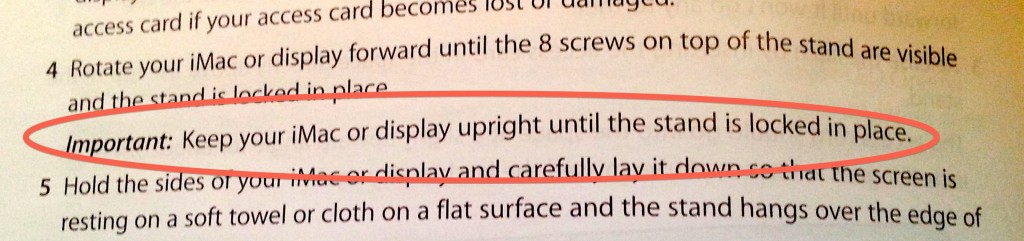
Hopefully you can fish the inner bracket back up and out the slot, because if not the iMac may have to be completely disassembled to recover it.


Yes, that’s right, using some needle nose pliers, some picture hanging wire or what ever else you have around the house, you retrieve your precious and get back to setting up your desk.
After heeding my own addendum, following the wire cutter’s advice on standing desks[8] and recreating the “you can’t stump me, I’m the internet” solution to get my VESA mount back, I have a great desk set up that’s really quite nice. I highly recommend treating yourself right with the items you use the most:

0 minutes, 26 seconds
I walked into our bedroom the other day and saw this:

Upon closer inspection you might notice the wonderful colors and fabrics in that quilt:
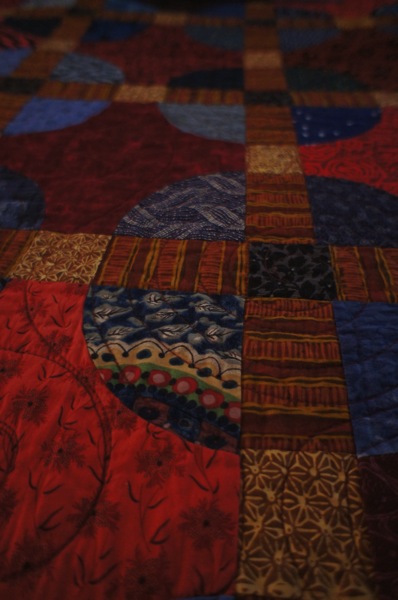
And then your eye might wander up and pause on that subtle, wonderful piece above the quilt on the wall:
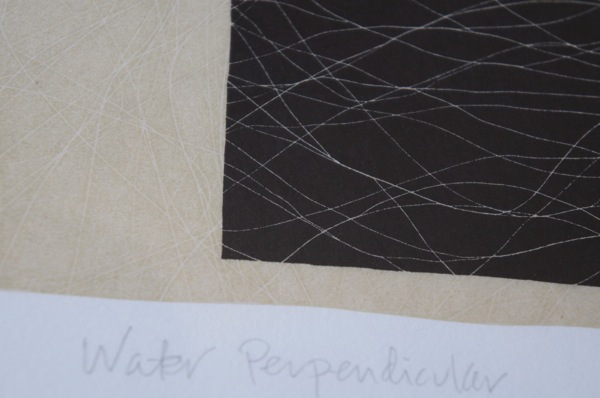
The quilt and print were both gifts to us. I feel blessed that I have the likes of Steven Holloway and my sister Lindsey Jones who made the print and quilt respectively. Thanks to you both!
Top this all off with my lovely and talented wife and I can’t help but see beauty everywhere I look!
1 minute, 24 seconds
I recently discovered Swappa. This is great site to sell or buy an Android phone. Why? First off they only sell good condition phones with clear ESNs. You won’t find any “only good for parts” deals here. As well, every phone posted for sale is verified by an actual employee at Swappa, so there’s no scammers. Further, they have lower fees than ebay.
However, I take the the blawg-o-sphere today because of their amazing customer service. The other day my one year old and I were hanging out by our pool. When he thought I wasn’t looking, he jumped in (ok, fell in) the pool, face down. Only thinking of ensuring my son didn’t drown, I jumped in and pulled him out. Only afterwords did I remember my Galaxy SIII in my pocket. After a week of letting it bake in the sun and still no speaker or mic working, I deemed it dead.

I went to Swappa, found my replacement phone, and purchased it. It was easy to find the exact phone I wanted, which even came rooted and with CyanogenMod 10.1. The seller told me it would ship out the next morning.
On a whim I powered up my old, left for dead phone. Oh my gosh! It totally worked! I even stuck my SIM card in there and I could make calls with the speaker and mic working no problem.
I embarrassingly asked the seller and Swappa if I could back out of the sale. Both agreed to help me out. The seller refunded my money, keeping $20 at my request. Swappa even refunded my buyers fee, which I had said they could keep. This all took hours and was tended to by the same Swappa employee who had verified the phone for the initial sale. What service!
I could not give them a higher recommendation and plan on purchasing all my phones from them. You should too!
0 minutes, 41 seconds
Ever since Hans showed me the way with his 5×5 of Sibley, I’ve been mildly obsessed with this format. It’s so quick to put together and forces to you to think about what’s really necessary to tell the story. That said, I think I failed in my recent attempt to tell a *good* story, but it was really fun to shoot and even more fun to ride:
http://vimeo.com/57996219Video was shot just a 10 minute ride from our house in Henderson, NV on/around Anthem East Trail (PDF). I’m spending all my rides (all 3 of them) exploring this area as it’s so close to our house.
Video is 1080/30P and shot on my “Faux Pro” (ya know, instead of a Go Pro), my new Galaxy S3 in an OtterBox. I never would have though of shooting first person cycling videos, but the Otter clipped so nicely on my camel back strap!
1 minute, 25 seconds
Welcome to my first post in the oft thought of, but rarely written, category of free ideas. These are ideas that if I had more time I might execute on. However, being a full time employee, husband and father of two, I don’t have time to build, create or code them. Instead, I shall give them away for free here in hopes that some one else will at least get a kick out of them, if not actual do something with ’em!
Y’all remember I wrote the 404er plugin for wordpress, right? This plugin was created out of the desire to give people the ability to publish a blog only for human consumption. Search engines would see the 404 header on every page of your blog and not index a lick of information. While not entirely practical, you could publish a blog that wouldn’t exist (if a tree falls and google hasn’t indexed it…) unless some one sent you a link directly.
In that same vein, I’ve never been on Facebook as I don’t trust their privacy policy and intentions. I’m not alone. However, everyone and their mother (OMG! almost a billion people) is on Facebook. This means you miss out on photos, invites and such your friends are sharing.
Enter the Abstracted Facebook Anonymizer, first up in the free idea category. An SDK would be written against the Facebook API. The SDK would somehow create one Facebook account per friend. It would then re-assemble all the posts from your many accounts with one friend each into a single wall, as if you had a single account. The net result would be that you could use Facebook via this SDK proxy and Facebook wouldn’t ever have the full data picture of who you were friends with and what you were sharing.
I await the creation of www.Abstracted-Facebook-Anonymizer.com, though I’m sure Facebook’s TOS wouldn’t stand for it!
0 minutes, 10 seconds
I’m not up on my bees, but this was a big bee! He was very docile (…dying?) and in my in-laws yard. Easy target for the camera! Same yard as the baby spiders from way back when! Just two pics: