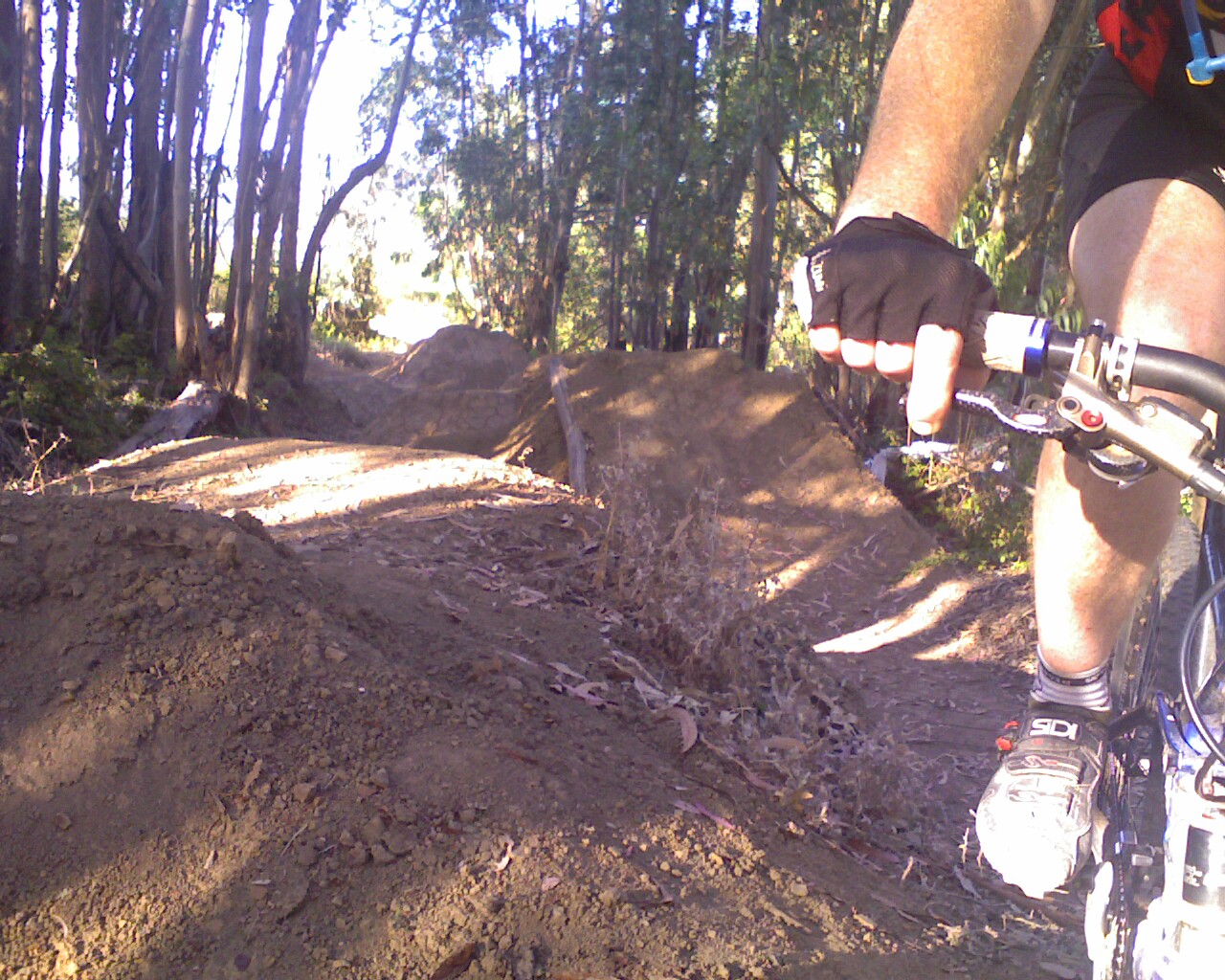
If you ride off road, you’re always looking for new ways to get from point A to point B and stay on the dirt. Today is Thursday which means that it’s leave work early and ride day! H and K and I were exploring off of Tunnel and found a full on hidden BMX track. I never road BMX as a kid, which makes my MTB skills a bit lacking. BMX skills or no, none of actually road this track. 4′ tall jumps with a 5′ gap? No thanks!
I will be the first to confess that I love the ritual around coffee as much as I love the the actual drinking of coffee. Today, joining my pal from twtitw, I went to the wonderful Cento Cafe. It was sunny, the two macchiatos looked lovely and I was as happy as, well, as a me drinking phenomenal coffee with a good friend in the sun!
Do you you ever have those moments where you’re trying out a query in MySQL and realize after you executed it that it’s going to kill your database server? If you’re like me, you’re often working in a LAMP stack in which case you’ve executed the query via a web page. The first thing you do is hit “esc” to stop the page from loading. MySQL doesn’t head the “full stop” call from Apache, if issued. If you’re silly and you did this on some sort production machine, you don’t exactly want to restart Apache or even worse, restart MySQL which can often take a while.
Enter show processlist; and kill PID! Yeah, mysql has it’s on version of “ps” and “kill -9”. In our case, this is extremely handy because it saves us the headache of rebooting MySQL and taking the DB offline for a minute. Connect to your DB as root and type:
mysql> show processlist;
+------+------+-----------+------+---------+------+----------------------+--------------+
| Id   | User | Host      | db   | Command | Time | State                | Info         |
+------+------+-----------+------+---------+------+----------------------+--------------+
| 1693 | root | localhost | rei  | Query   |   75 | Copying to tmp table | SELECT     di|
| 1695 | root | localhost | NULL | Query   |    0 | NULL                 | show processl|
+------+------+-----------+------+---------+------+----------------------+--------------+
Indeed this one query is killing the CPU:
top - 08:57:50 up 30 days, 20:59,  2 users,  load average: 0.53, 0.14, 0.04
Tasks:  72 total,   2 running,  70 sleeping,   0 stopped,   0 zombie
Cpu(s): 20.1% us, 30.1% sy,  0.0% ni, 49.8% id,  0.0% wa,  0.0% hi,  0.0% si
Mem:   2074628k total,  2010740k used,    63888k free,   142648k buffers
Swap:   524280k total,      192k used,   524088k free,  1549692k cached

  PID USER      PR  NI  VIRT  RES  SHR S %CPU %MEM    TIME+  COMMAND
 3119 mysql     16   0  549m 115m 5076 S 99.8  5.7   9:53.40 mysqld
All we have to do is kill it and the box is back to idle. Sweet!
mysql> kill 1693;
Query OK, 0 rows affected (0.00 sec)

mysql> show processlist;
+------+------+-----------+------+---------+------+-------+------------------+
| Id   | User | Host      | db   | Command | Time | State | Info             |
+------+------+-----------+------+---------+------+-------+------------------+
| 1695 | root | localhost | NULL | Query   |    0 | NULL  | show processlist |
+------+------+-----------+------+---------+------+-------+------------------+
1 row in set (0.00 sec)
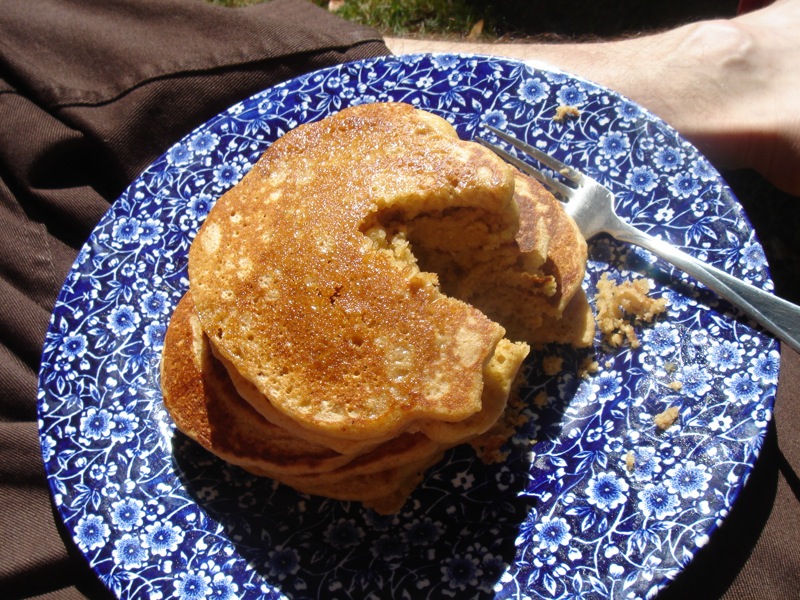
With out really knowing it, I’ve been working my way through the Joy of Cooking’s pancake recipes. I’ve done basic, cornmeal and today was buttermilk. The basic is a bit watery, resulting in flatter pancakes. Today was the opposite, a bit fluffy. However, the fluff made for a great 3d pacman pic.
After my friend over at The Worst Thing in the World (TWTITW) recently had a post about Radar charting a salad’s many axes, I thought it’d be funny to write a page that actually made the graphs. I’d been meaning to write a post about using Maxmind’s GeoIP library and data to do heat map of web activity, but this will be a good warm up. Behold the fully functional Plip Salad Tosser.
Let’s take a look at the components of the Tosser:
The Chart: I like using APIs that are easy, make me look good, and are well documented. That’s why I love Google’s Chart API. For this page I used a their radar chart and referenced which features are available at the handy chart feature matrix. A few nice touches were adding the dotted lines and the extra data point to complete the loop (is a that radar chart faux pas?).
Arrays and quick forms: Arrays are really handy. They make a form like these easy to change and you can implode them like mad for loop-less string creation of chart labels and the like. Further, you can bust out a quick loop to check for posted values or init random values for the form. WAY easier than hard coding the HTML and making edits over and over again.
Final Product: Here’s a salad radar chart made from step 3, Publish!
PHP: Here’s the top part of the page which does the actual form processing and image source concatenating.
// seed all options
$options = array(
'Architectural',
'Conceptual',
'Cultural',
'Financial',
'Gustatory',
'Logistical',
'Taxonomic',
);
// see if they want a random one
if (isset($_POST['No,_no,_wait____toss_me_a_random_salad!'])){
unset($_POST['d']);
}
// hand POST or init
if (isset($_POST['d'])){
// grab vals if posted, pull name into local
// and unset name for easy imploding below
$postedAxes = $_POST['d'];
$name = $postedAxes['name'];
unset($postedAxes['name']);
} else {
// init empty chart
foreach ($options as $axes){
$postedAxes[$axes] = rand(1,100);
}
$name = "Random Chart";
}
// seed drop down vals
$i = 1;
while ($i < 101){
$dropValsRaw[] = $i++;
}
// build up form HTML by looping through
// every axes
$formHTML = "";
foreach ($options as $axes){
$formHTML .= ' ';
$formHTML .= '';
// loop through evey axes value and check for
// posted value so folks can easily tweak graphs
$i = 1;
while ($i < 101){
if ($i == $postedAxes[$axes]) {
$formHTML .= "$i";
} else {
$formHTML .= "$i";
}
$i++;
}
$formHTML .= $dropValsHTML;
$formHTML .= '';
$formHTML .= '
';
}
// concat final img src and use
// implode along the way where needed
$imgSrc = "http://chart.apis.google.com/chart?";
$imgSrc .= "cht=r&chs=500x400&";
$imgSrc .= "chd=t:".implode(",",$postedAxes).",".array_shift($postedAxes)."&";
$imgSrc .= "chco=669933&";
$imgSrc .= "chls=2.0,4.0,0.0&";
$imgSrc .= "chxt=x&";
$imgSrc .= "chxl=0:|".implode("|",$options)."&";
$imgSrc .= "chxr=0,0.0,360.0&";
$imgSrc .= "chm=B,66993380,0,1.0,5.0&";
$imgSrc .= "chg=25.0,25.0,4.0,4.0&";
$imgSrc .= "chtt=$name";
HTML: Below the PHP I have some descriptive text and a few headers and then I output the fruit of our lil’ scripts labor:
Salad Maker

My friend over at The
Worst Thing in the World (TWTITW) recently had a
post about the
axes of salad complexity.  Based on their findings of 7 axes*,
I wrote a lil' form to enter and toss your own salad. Read
up on the code behind this page over at yon
blog
.

Go forth, make your salad, rate it, and use this form to
publish your salad's findings (or is that finding your
 salad?).

* - Subject to TWTITW's whim and research

Step 1: Data Entry
Step 2: Analize
" />
Step 3: Publish
Final Thought: Projects like this that take about two hours are fun and very gratifying for me. Leveraging existing code bases like Google’s Chart API is a great way to make a friend’s funny blog post into a fun educational experience that looks snazzy. Send in questions or comments!
Recently I needed a way of tracking PDF viewing on a web site. Google Analytics (GA) does a great job of tracking page views, but they require JavaScript to work. Further, a PDF download will not fire any JavaScript and is only tracked in the web server log, of which GA knows nothing about. What to do?
For starters, you could use GA’s tip: How do I track PDFs on my site? The big caveat with this technique is that the GA JavaScript takes a sec to load, and is generally best kept at the bottom of the page so the user experiences all your content loading “quickly” while the GA JavaScript can load “slowly” with no perceived slowness. Since most modern browsers are not really multi-threaded, moving the GA code to the top will give the user a slow, bad experience.
A better technique is to use JavaScript just like GA recommends, but instead of firing their page view code, fire your own in an iframe! I have a site wide JS file I use which I added this function to (JQuery required):
// way to fire a page request in hidden iframe good for
// doing Google analytic tracking for offsite links, PDFs etc.
function loadFrame(goto_url)
{
   if ($("#loaderFrame").attr("id") != undefined){
      $("#loaderFrame").attr("src",goto_url);
   }
   return true;
}
Now on any page that I want to track PDFs, I have a link that looks like this:
loadFrame() sets the source of your iframe to be pdfTracker, thus loading the iframe with you PDF as it’s query string
the ender user sees none of this and their browser natively handles the PDF download.
On the /pdfTracker page, you would send the user’s browser a small payload include the GA JavaScript to track that this PDF was loaded. When you next got to GA you should see all your PDFs behind the /pdfTracker? URL. Handy!
I’ve decided that the massive rendering performance complimented with the developer features of Safari 4 are worthy enough to try to make it my full time browser. The hardest thing to give up about Firefox (FF3) is my beloved Firbug. Writing this post in Safarai already I miss the “I’m feeling lucky” feature of FF3 when you just type a random term in the URL bar and hit return.
I’ll report back in a few days as to how I like it, or how I don’t. I will say I already don’t like the new “top sites” feature.
PS – I think it’s pretty silly how many browsers my computer thinks are installed. Because I have multiple VMs via VMWare Fusion with windows, dev installs of Safari2 and Safari3 and Firefox 3 and Safari (4 beta) these are pushed down to the OS in a semi-native manner. This means that when I choose what browser I want to use as default, it’s quite verbose!
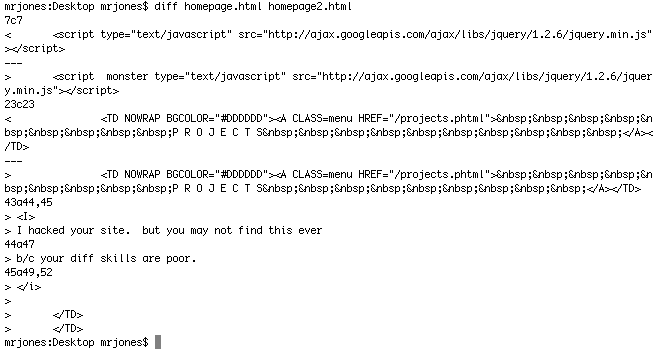
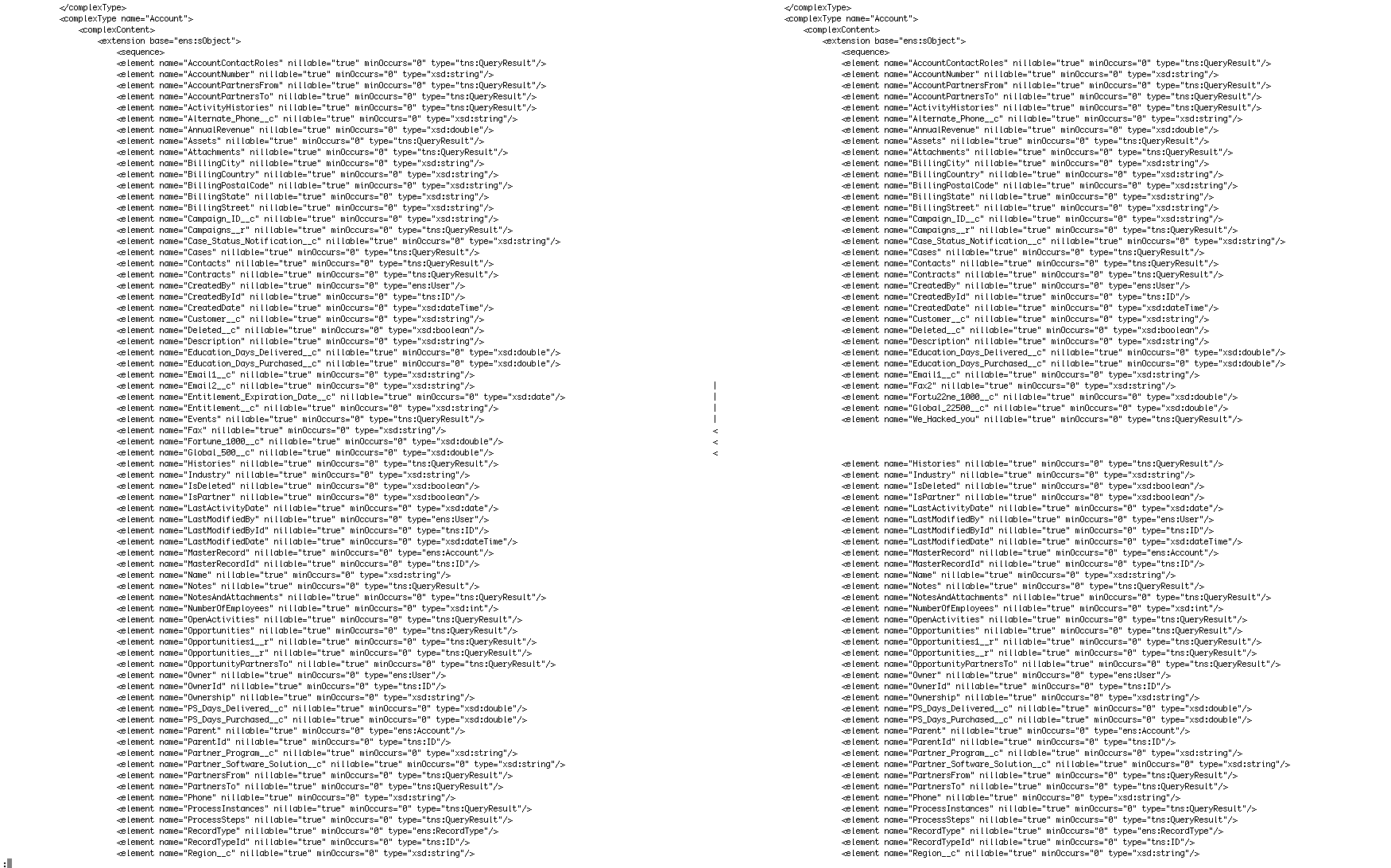
Let’s say you’ve edited a long HTML file and want find what’s changed against the original. If you were on the command line, you’d turn to ‘diff’, right? This is all fine and dandy, if not mundane and some what obfuscated as to what has changed.
fancy diff
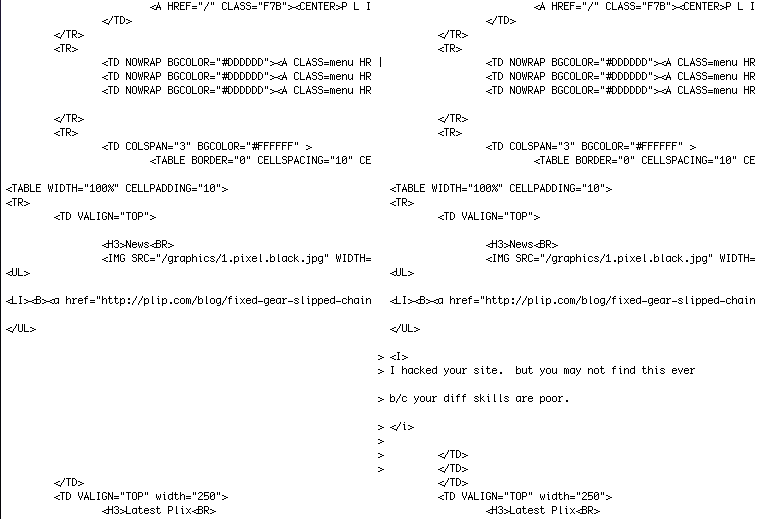
However, if you wanted to view the entire files side by side, have the changes appear in context of the rest of the file and easily see where lines have been removed or add, you would use diff with the flags: ‘-yiEbwB’. Now that is a I can get used to.
megawide fancy diff
Now if you had a massive file, say a WSDL (say “wizdull”) file from a certain CRM you use at work and you wanted to compare differences, diff to the rescue again. However because we’re seeing the entire file which is over 450K, the only way to parse through this is via ‘less’. If you couple this with increasing the width to 300 columns, it makes reviewing the changes a breeze. Further, you can search with in the diff by using the search features in less.
I know a lot of the fixie purists don’t ride with a front brake and just use their mad skidding skills to slalom their way through traffic and sudden stops. However, the other day I was headed back from a trip up to the Oakland hills, hit a big bump and had my chain come off. Now, arguably, my bad mechanic skills are to blame, or possibly my non-horizontal drop outs I’m running with the eccentric hub, but I was very thankful to have a front brake!