Category Archives: Linux

Ruby-less way to add key frames to flv videos for the likes of JWPlayer

2 minutes, 2 seconds

At work we’ve been working on a good way to roll our own videos. We initially started with the generic off the shelf swf player + flv to make our videos go. This was OK, but was lacking some key features folks were used to, primarily full screen play back and the ability to seek to a specific spot in a video. Additionally, for videos that were over 20 minutes being viewed over slower connections, precious apache children would be chewed up potentially causing a slow down for the web head doing the serving.

Enter JWPlayer! This is a great, easy to configure, free for non-commercial use, flv player that offers the features we’re looking for. Further, we could offload the flv’s to our image server, lighttpd . (By the way lighttpd is extremely awesome; I can not recommend it enough. I first learned about from my friend over at WikiSpaces where they had dropped apache entirely in favor or lighttpd. Noteworthy is that lighttpd was first concieved as an attempted answer to the c10k problem. I’ve personally seen it handle over 2000 connections per minute and the server load didn’t go above 0.5 (though the full meaning of load average is a curious one (sorry for the double, now triple parenthetical statements )).) Simply add a little flv streaming foo to lighttpd, and you’re good to go.

At this point, we hit a stumbling block. In order for JWPlayer to seek, it would send a request for the FLV to the web server and give it a starting point, like so:

10.1.6.221 lighttpd.domain.dom - [29/Jul/2009:12:46:37 -0700] 
"GET /web_assets/video/your.flv?start=17038076 HTTP/1.1" 200
 17765145 "-" "Mozilla/5.0 (Macintosh; U; Intel Mac OS X 10.5; 
en-US; rv:1.9.1.1) Gecko/20090715 Firefox/3.5.1"

However, if the flv you were serving didn’t have key frames then the web server would simply ignore the query string, and indeed, the click all together.

We do most of our development and video authoring on a mac and then serve our files off a load balanced linux server. At first, we used flvtool2 on linux to embed the key frames on our flvs. This kinda works, but it’d be easier to have the video author be able to add them himself with out needing to download and install ruby and rails and all that crazy server scripting foo. As his flv creator/codec/authoring app/chumpy wasn’t playing nice, I was given the task to find a simple solution.

Now, finally, we get to the point of the post. If you’ve gotten this far and wanna know how to embed keyframes with out ruby, get thee to the multi-platform, command line tool called flvmeta and go home happy!

Update: This post would not be complete without mentioned our use of swfobject to render the flash HTML.
Rogue MySQL queries

1 minute, 32 seconds

Do you you ever have those moments where you’re trying out a query in MySQL and realize after you executed it that it’s going to kill your database server? If you’re like me, you’re often working in a LAMP stack in which case you’ve executed the query via a web page. The first thing you do is hit “esc” to stop the page from loading. MySQL doesn’t head the “full stop” call from Apache, if issued. If you’re silly and you did this on some sort production machine, you don’t exactly want to restart Apache or even worse, restart MySQL which can often take a while.

Enter show processlist; and kill PID! Yeah, mysql has it’s on version of “ps” and “kill -9”. In our case, this is extremely handy because it saves us the headache of rebooting MySQL and taking the DB offline for a minute. Connect to your DB as root and type:

mysql> show processlist;
+------+------+-----------+------+---------+------+----------------------+--------------+
| Id   | User | Host      | db   | Command | Time | State                | Info         |
+------+------+-----------+------+---------+------+----------------------+--------------+
| 1693 | root | localhost | rei  | Query   |   75 | Copying to tmp table | SELECT     di| 
| 1695 | root | localhost | NULL | Query   |    0 | NULL                 | show processl| 
+------+------+-----------+------+---------+------+----------------------+--------------+

Indeed this one query is killing the CPU:

top - 08:57:50 up 30 days, 20:59,  2 users,  load average: 0.53, 0.14, 0.04
Tasks:  72 total,   2 running,  70 sleeping,   0 stopped,   0 zombie
Cpu(s): 20.1% us, 30.1% sy,  0.0% ni, 49.8% id,  0.0% wa,  0.0% hi,  0.0% si
Mem:   2074628k total,  2010740k used,    63888k free,   142648k buffers
Swap:   524280k total,      192k used,   524088k free,  1549692k cached

  PID USER      PR  NI  VIRT  RES  SHR S %CPU %MEM    TIME+  COMMAND                                                                                                                              
 3119 mysql     16   0  549m 115m 5076 S 99.8  5.7   9:53.40 mysqld                                                                                                                                

All we have to do is kill it and the box is back to idle. Sweet!

mysql> kill 1693;
Query OK, 0 rows affected (0.00 sec)

mysql> show processlist;
+------+------+-----------+------+---------+------+-------+------------------+
| Id   | User | Host      | db   | Command | Time | State | Info             |
+------+------+-----------+------+---------+------+-------+------------------+
| 1695 | root | localhost | NULL | Query   |    0 | NULL  | show processlist | 
+------+------+-----------+------+---------+------+-------+------------------+
1 row in set (0.00 sec)

Fancy Diff

0 minutes, 53 seconds

simplediff
simple diff

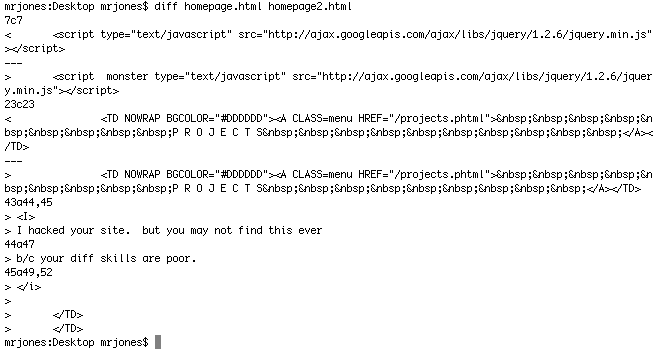
Let’s say you’ve edited a long HTML file and want find what’s changed against the original. If you were on the command line, you’d turn to ‘diff’, right? This is all fine and dandy, if not mundane and some what obfuscated as to what has changed.

 
fancydiff
fancy diff

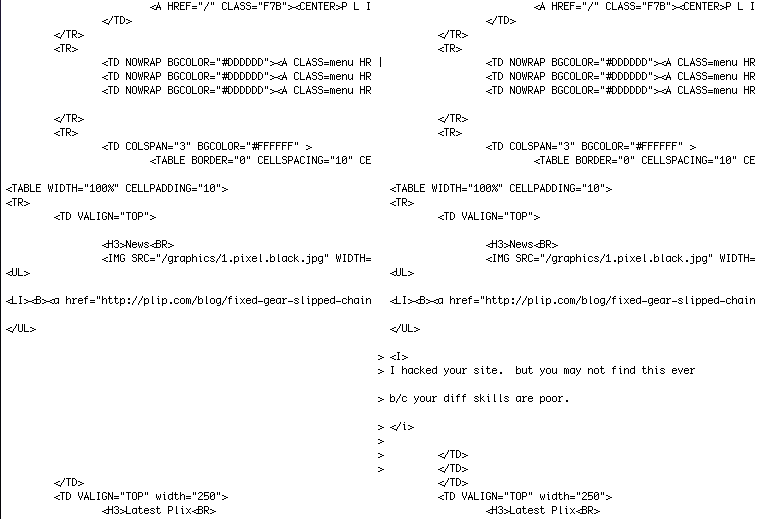
However, if you wanted to view the entire files side by side, have the changes appear in context of the rest of the file and easily see where lines have been removed or add, you would use diff with the flags: ‘-yiEbwB’. Now that is a I can get used to.

 
fancydiff
megawide fancy diff

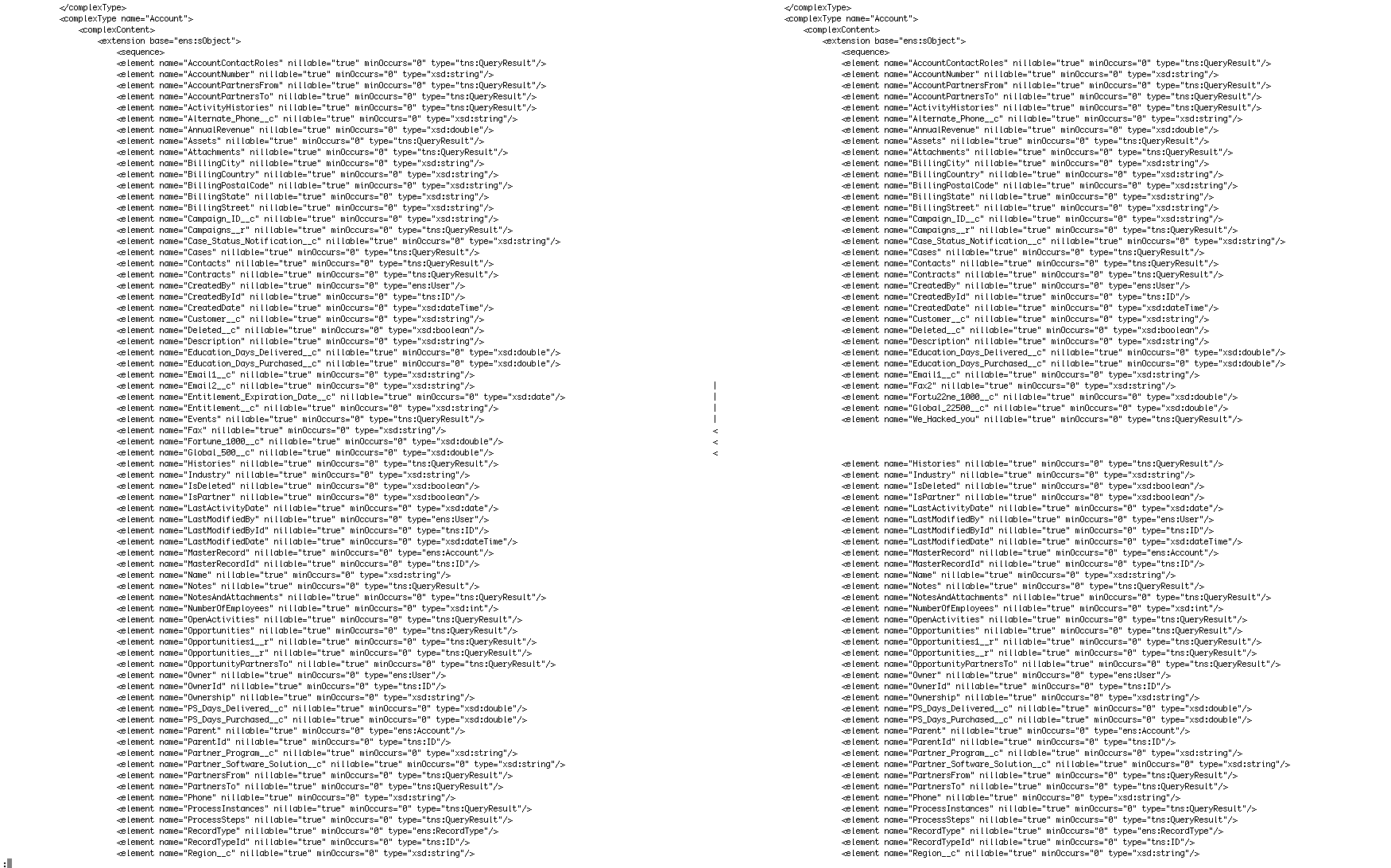
Now if you had a massive file, say a WSDL (say “wizdull”) file from a certain CRM you use at work and you wanted to compare differences, diff to the rescue again. However because we’re seeing the entire file which is over 450K, the only way to parse through this is via ‘less’. If you couple this with increasing the width to 300 columns, it makes reviewing the changes a breeze. Further, you can search with in the diff by using the search features in less.

diff -yiEbwB --width=300 enterprise.wsdl enterprise2.wsdl |less